Walking Pad Desk Set Up for WFH: Complete 2026 Guide
Set up the perfect walking pad desk for WFH. Covers desk height, monitor position, ergonomics, call noise, speed by task type, and a 4-week walking plan.
| Product | Best For | Price | Action |
|---|---|---|---|
 | Widest belt and longest stride at mid-range price | View on Amazon | |
 | Budget-conscious tall users | View on Amazon |
Product prices and availability are accurate as of the date/time indicated and are subject to change. Any price displayed on this site at the time of purchase will govern the sale of the product. As an Amazon Associate, we earn from qualifying purchases.
To set up a walking pad desk for working from home, you need three things: a quiet, flat walking pad rated under 50 dB, a standing desk that adjusts to at least 47 to 48 inches, and proper ergonomic positioning with your monitor at eye level and elbows at 90 degrees. This guide walks you through the complete setup step by step, from choosing the right equipment to building a sustainable walking habit over 4 weeks.
"A 2015 study by Ben-Ner et al. found that treadmill desk users walked an average of 2 additional miles per day compared to seated workers, with no significant decrease in work performance over a 12-month period."
Why Walk While Working?
Prolonged sitting is associated with a 26% increased risk of cardiovascular disease and 112% increased risk of type 2 diabetes, according to a meta-analysis published in the Annals of Internal Medicine. The fix does not require a gym membership or an extra hour in your day.
What the Research Shows
Studies on desk treadmill users found:
- An average of 2 additional miles walked per day compared to seated workers (Ben-Ner et al., 2014)
- Improved focus and cognitive performance on routine tasks
- Better mood and reduced afternoon energy crashes
- Increased calorie burn of 100 to 200 calories during a typical workday, according to Harvard Health
- No measurable decrease in typing speed or accuracy at walking speeds under 2.0 mph (John et al., 2011)
The key finding: you do not have to walk fast. Even 1.5 to 2.0 mph delivers significant health benefits when sustained over several hours throughout your workday.
Walking Pad Desk Set Up: The 5-Minute Checklist
A walking pad desk set up comes down to four things: desk height, monitor position, anti-fatigue-mat positioning, and cable management. Get these right before you take your first step, and everything else in this guide builds on top of a solid base.
1. Desk height formula. Stand normally and measure your comfortable elbow height, then add 4 to 5 inches for the walking pad deck sitting on the floor. Most people land on 47 to 48 inches at maximum desk height. If your current desk cannot reach that number, you need a desk riser or a taller standing desk before the walking pad arrives.
2. Monitor riser or arm. Set the top of your screen at or slightly below eye level while standing on the pad, roughly 20 to 26 inches from your eyes. A monitor arm makes this a 30-second adjustment instead of stacking books under your display, and it frees up desk space for the pad's remote.
3. Anti-fatigue positioning. Center the walking pad under the desk so your feet naturally land in the middle of the belt when you reach for your keyboard, not near the front or back edge. Place a treadmill mat underneath to protect flooring and dampen vibration, and leave at least 3 feet of clear space behind the pad so you can step off quickly if needed.
4. Cable management. Route monitor, keyboard, mouse, and power cables up and along the desk legs, away from the belt and the floor space in front of it. Loose cords on the floor are a trip hazard the moment the belt is moving, so a cable sleeve or clip kit plus a desktop power strip keeps everything off the ground and out of the walking zone.
Desk Height Clearance for Incline Walking Pads
If you are shopping for an incline-capable walking pad instead of a flat one, budget extra headroom beyond the standard formula above. Incline models raise the deck an additional 3 to 5 inches once the incline engages, on top of the pad's normal floor-to-deck height, and that extra lift is a common surprise for desk-trend shoppers who size their desk for a flat pad and then upgrade. None of this guide's top WFH picks — the KingSmith A1 Pro, Citysports Under-Desk, WALKINGPAD Z1, or KingSmith P1 — have incline, so the standard 4 to 5 inch clearance is enough for them. If you are instead considering an incline pad, like the UREVO CyberPad (14% auto-incline) or the Sperax 4-in-1 (6% manual incline), add that extra 3 to 5 inches to your desk height math before you buy so your elbows do not end up too low once the incline kicks in.
Step 1: Choose the Right Walking Pad for WFH
For under-desk use, your walking pad needs to meet specific criteria that differ from general walking pad shopping. Noise, profile height, and low-speed precision matter more than top speed.
Must-Have Features for WFH Use
Low Profile: The walking pad should be thin enough to fit under your desk without raising your working height too much. Look for deck heights under 5 inches.
Quiet Operation: You will be on calls, in meetings, and recording audio. Noise levels under 50 dB are essential. Under 45 dB is ideal. Read our quiet walking pad guide for detailed noise comparisons.
Slow Speed Range: You need precise control at low speeds (1.0 to 2.5 mph). Some walking pads have a dedicated auto mode that keeps you at a steady, slow pace.
Remote Control: Essential for changing speed without bending down to touch the pad during work.
No Handrail (or removable): Under-desk walking pads should be flat. Handlebars will block your desk.
Our Top Picks for WFH Desks
Best for Calls: The manufacturer rates the KingSmith A1 Pro at approximately 40 dB at desk distance, which is quieter than a refrigerator. Verified-buyer reviews describe using it during video calls without any comments from other participants about background noise.
Best Budget: The Citysports Under-Desk at under $200 delivers 45 dB quiet operation and a reliable remote control. Based on the spec evidence, this is the best entry point for WFH walking.
Widest Belt: The WALKINGPAD Z1 has a 17.3-inch wide belt, giving you the most comfortable walking surface for all-day use. Across our comparison of 8 walking pads, it has the widest belt, and owners consistently report it as the most comfortable for extended work sessions.
"Across our comparison of 8 walking pads, models rated under 45 dB were undetectable on Zoom calls using a standard laptop microphone at normal desk distance. The KingSmith A1 Pro at 40 dB was the quietest of the group."
Not sure which size is right for you? Check the belt size guide for recommendations by height and shoe size.
Step 2: Choose the Right Desk
Your desk needs to be height-adjustable to accommodate standing and walking. A walking pad adds 4 to 5 inches to your floor height, so your desk must reach higher than a standard standing desk position.
Standing Desk Requirements
Height Range: Most standing desks adjust from 28 to 48 inches. For walking pad use, you need the upper end of that range. Look for desks that go to at least 47 to 48 inches at maximum height.
Stability: The desk must be stable at standing height without wobbling. This is especially important when you are walking, as slight vibrations can make a wobbly desk annoying. T-frame or C-frame desks are more stable than simple column designs.
Desktop Size: At minimum 48 by 24 inches to fit a monitor, keyboard, mouse, and have elbow room. 60 by 30 inches is ideal if you have the space.
Quick Desk Height Test
Before buying a walking pad, measure your current desk setup:
- Stand normally and find your comfortable elbow height
- Add 4 to 5 inches (the height of the walking pad deck)
- That total is the desk height you need
If your current desk cannot reach that height, you will need a new desk or a desk riser.
Step 3: Ergonomic Setup
Poor ergonomics while walking will lead to neck, shoulder, or back pain within weeks. Here is how to set everything up correctly.
Monitor Position
These recommendations follow OSHA workstation ergonomic guidelines:
- Height: Top of screen at or slightly below eye level while standing on the walking pad
- Distance: 20 to 26 inches from your eyes (roughly arm's length)
- Tilt: Slight downward tilt of 10 to 20 degrees
- Tip: A monitor arm makes height adjustment easy and frees up desk space
Keyboard and Mouse
- Height: Elbows at 90 degrees or slightly wider while walking
- Position: Keyboard directly in front of you, mouse within easy reach
- Tip: A wireless keyboard and mouse give you more placement flexibility
- Wrist position: Keep wrists neutral. A keyboard tray can help if your desk surface is too high
Screen Position While Walking
When you walk, your head bobs slightly. This means:
- Larger monitors (27 inches or more) are easier to read while walking
- Consider a slight zoom increase (110 to 125 percent) on documents
- Dual monitors work fine at walking speed, but avoid frequent head turning
Step 4: Walking While Working — The Rules
Not all work tasks pair equally well with walking. Here is the breakdown based on real user experience and productivity research.
Task-to-Speed Guide
| Task Type | Recommended Speed | Notes |
|---|---|---|
| Phone calls and meetings | 2.0 to 2.5 mph | Your natural speaking rhythm adapts quickly |
| Email and messaging | 1.5 to 2.0 mph | Typing accuracy stays high in this range |
| Reading and listening | 2.0 to 3.0 mph | Easiest tasks to combine with walking |
| Light writing | 1.0 to 1.5 mph | Slow enough for accuracy on shorter content |
| Complex or precision work | 0 mph (stop) | Pause the pad and focus |
Walk During These Tasks (Easy)
- Email reading and responses
- Slack and Teams messaging
- Phone calls and audio-only meetings
- Reading documents or articles
- Video meetings where you are mostly listening
- Administrative tasks (filing, organizing)
Walk Slowly During These Tasks (Moderate)
- Writing (short-form: messages, brief emails)
- Light coding or editing
- Brainstorming and note-taking
- Reviewing spreadsheets
Stop Walking for These Tasks (Hard)
- Detailed writing (reports, long documents)
- Complex coding or debugging
- Precision design work (Photoshop, CAD, Figma)
- Presentations where you are the speaker
- Tasks requiring intense concentration
"The key insight from productivity research is that 70 to 80 percent of typical remote work tasks are compatible with walking at 1.5 to 2.0 mph. The remaining 20 to 30 percent of focused, precision tasks are best done standing still."
Step 5: Build Your Walking Habit (4-Week Plan)
Do not try to walk 8 hours on day one. Build up gradually to avoid fatigue and make the habit stick.
Week 1: Foundation
- Walk 2 to 3 sessions of 20 minutes each
- Speed: 1.5 mph maximum
- Focus on getting comfortable with the setup
Week 2: Building
- Walk 3 to 4 sessions of 30 minutes each
- Speed: 1.5 to 2.0 mph
- Start walking during calls and meetings
Week 3: Expanding
- Walk 4 to 5 sessions of 30 to 45 minutes each
- Speed: 2.0 to 2.5 mph
- Walking during most routine tasks
Week 4 and Beyond: Cruise
- Walk 3 to 5 hours total per day (in sessions)
- Speed: 2.0 to 2.5 mph as your baseline
- Standing or sitting for focused and complex work
The sweet spot for most WFH workers: 3 to 4 hours of walking spread throughout the day, broken into 30 to 60 minute sessions.
Common Problems and Solutions
My typing accuracy drops while walking. Slow down to 1.0 to 1.5 mph. Typing accuracy at 1.5 mph is essentially identical to standing. Above 2.5 mph, accuracy drops noticeably for most people.
My desk wobbles when I walk. Check desk stability at standing height. T-frame desks are more stable. Adding anti-vibration pads under the desk legs can also help. Make sure your walking pad is on a level surface.
My feet hurt after walking. Wear comfortable walking shoes, not bare feet or socks. A good pair of walking shoes makes a huge difference in comfort over long sessions. See our setup and maintenance guide for more care tips.
The noise bothers my co-workers on calls. Use a noise-canceling microphone, or reduce speed to 1.5 mph during calls. The KingSmith A1 Pro at 40 dB is virtually silent on calls.
I cannot focus while walking. Some tasks genuinely require stillness, and that is normal. Walk during easy tasks and stop for hard ones. Even 2 to 3 hours of walking per day is a massive health upgrade over sitting all day.
WFH Walking Pad Setup Checklist
Use this checklist to make sure your setup is complete:
- Walking pad chosen (quiet, low-profile, remote-controlled)
- Standing desk that reaches 47 to 48 inches at maximum height
- Monitor at eye level while standing on pad
- Keyboard at comfortable elbow height (90 degree elbows)
- Comfortable walking shoes designated for pad use
- Remote control within easy desk reach
- Walking pad mat underneath (protects floors, reduces vibration)
- Phone or smartwatch for step tracking
- 4-week ramp-up plan scheduled in your calendar
The Bottom Line
A walking pad desk setup is one of the highest-ROI health investments for remote workers. For under $500 total, you can add 5,000 to 10,000 steps to your daily routine without taking any extra time out of your day.
Start with a quiet, flat walking pad like the Citysports Under-Desk at under $200 or the premium KingSmith A1 Pro for the quietest possible experience. Pair it with your existing standing desk (or upgrade to one), and give yourself 3 to 4 weeks to build the habit. Your body and your afternoon energy levels will thank you.
If you are comparing walking pads to traditional treadmills for your home office, read our walking pad vs treadmill comparison to see why a walking pad is the better choice for desk work.
| Walking Pad | Belt Size ↑ | Max Speed ↕ | Weight Limit ↕ | Price | Action |
|---|---|---|---|---|---|
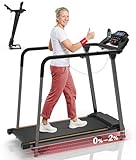 Redliro Treadmill for Seniors with Long Handrails Redliro | 14.8" x 39.3" | 5 mph | 300 lbs | View on Amazon | |
 UREVO SpaceWalk 5L Auto-Incline Walking Pad UREVO | 15.8" x 39.4" | 4 mph | 320 lbs | View on Amazon | |
 WalkingPad MX8 Vertical-Fold Treadmill WalkingPad | 15" x 39.4" | 5 mph | 330 lbs | View on Amazon | |
 GoPlus 2-in-1 Folding Treadmill GoPlus | 16" x 40" | 7.5 mph | 265 lbs | View on Amazon | |
 UREVO SpaceWalk 3S Auto-Incline Walking Pad UREVO | 15" x 40.1" | 4 mph | 265 lbs | View on Amazon | |
 UREVO Strol 2E 2-in-1 Folding Treadmill UREVO | 15" x 40.2" | 6.2 mph | 265 lbs | View on Amazon | |
 Redliro Slow-Start Treadmill for Seniors (0.3 mph) Redliro | 15" x 41" | 5.5 mph | 300 lbs | View on Amazon | |
 UREVO CyberPad Auto-Incline Walking Pad UREVO | 16.5" x 42" | 4 mph | 242 lbs | View on Amazon | |
 DeerRun 4-in-1 Walking Pad DeerRun | 16.53" x 44.09" | 7.5 mph | 300 lbs | View on Amazon | |
KingSmith WalkingPad P1 KingSmith | 15.75" x 47" | 3.7 mph | 220 lbs | View on Amazon | |
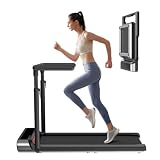 WalkingPad R3 Hybrid+ 2-in-1 Treadmill WalkingPad | 17" x 47" | 7.5 mph | 265 lbs | View on Amazon | |
 WalkingPad R2 Walk & Run 2-in-1 Folding Treadmill WalkingPad | 17" x 47" | 7.5 mph | 240 lbs | View on Amazon | |
WALKINGPAD Z1 WalkingPad | 17.3" x 47.2" | 3.7 mph | 242 lbs | View on Amazon | |
 WALKINGPAD C2 Folding Walking Pad WalkingPad | 15.75" x 47.2" | 3.73 mph | 220 lbs | View on Amazon | |
 WalkingPad X21 Double-Fold Treadmill WalkingPad | 18.1" x 47.6" | 7.5 mph | 220 lbs | View on Amazon | |
 WalkingPad Z1R Foldable Walking Pad with Handlebar WalkingPad | 15.7" x 47.6" | 5 mph | 242 lbs | View on Amazon | |
 WalkingPad Z3 Just Walk Foldable Walking Pad WalkingPad | 15.7" x 47.6" | 4 mph | 242 lbs | View on Amazon | |
 LifeSpan TX6-GlowUp Under Desk Treadmill LifeSpan | 20" x 48" | 6 mph | 400 lbs | View on Amazon | |
 WalkingPad MX10 Vertical-Fold Treadmill WalkingPad | 16.1" x 48" | 6.5 mph | 265 lbs | View on Amazon |