Walking Pad Setup & Maintenance: The Complete Care Guide
Step-by-step walking pad set up, belt lubrication schedule, tension fixes, and troubleshooting — keep your pad quiet and smooth for years. Start here.
Getting your walking pad out of the box is the easy part. Setting it up correctly and keeping it maintained over months of daily use is what separates a reliable walking station from a frustrating one. This guide covers everything from unboxing to long-term care, so your walking pad stays smooth, quiet, and safe for years.
How Do You Set Up a Walking Pad for the First Time?
Walking pad set up involves five steps: unbox it on a flat surface, position it with at least 3 feet of clearance behind the unit, plug the power adapter into a grounded outlet, attach the magnetic safety key and pair the remote, then test it at the lowest speed (about 0.5 mph) for 2 to 3 minutes before regular use.
Most walking pads arrive in a single box weighing between 45 and 75 pounds. Here is a step-by-step approach to getting started.
Step 1: Unbox on a clean, flat surface. Lay the box on its side and slide the walking pad out rather than lifting it vertically. This prevents the belt from catching on the packaging. Remove all foam inserts, plastic wrapping, and zip ties securing the power cord.
Step 2: Position it in your workspace. Place the walking pad where you plan to use it before plugging anything in. Make sure there is at least 3 feet of clearance behind the unit in case you need to step off quickly. If placing it under a desk, leave 1 to 2 inches of space on each side for airflow around the motor housing. If you're building out a dedicated setup, our guide to the best walking pads for home office use can help you compare deck sizes before you commit to a spot.
Step 3: Connect the power. Plug the power adapter into a grounded outlet. Avoid extension cords or power strips when possible, as walking pad motors can draw 3 to 5 amps and cheap power strips may not handle sustained loads. If you must use a power strip, choose one rated for at least 15 amps.
Step 4: Calibrate the remote and safety key. Most walking pads include a remote control and a magnetic safety key. Attach the safety key to the unit and pair the remote by following the manufacturer instructions, which typically involve holding a button for 3 to 5 seconds while the pad is in standby mode.
Step 5: Test at low speed. Start with the lowest speed setting, usually 0.5 mph, and walk for 2 to 3 minutes. Listen for any unusual scraping or grinding sounds. The belt should move smoothly without hesitation or jerking. This break-in period also lets the belt settle into its tracking position.
How Should You Set Up Desk Height for Under-Desk Walking?
Ergonomics matter more than most people realize when walking and working simultaneously. Poor desk height leads to shoulder tension, wrist strain, and neck pain that discourages daily use.
Elbow angle is your guide. Stand on the walking pad with it powered off. Your desk surface should be at a height where your elbows bend at approximately 90 degrees with your forearms parallel to the floor. For most people, this puts the desk surface between 38 and 44 inches from the ground, depending on the walking pad deck height and your own height.
Monitor position matters too. The top of your monitor should be at or slightly below eye level. Since you are standing on an elevated surface (the walking pad deck adds 3 to 5 inches of height), you may need to raise your monitor higher than you would for seated work. A monitor arm or a simple riser gets the job done.
Keyboard and mouse placement. Keep your wrists in a neutral position. A keyboard tray mounted slightly below the desk surface helps maintain proper wrist alignment while walking. Avoid reaching forward for your mouse, as this pulls your shoulders forward and creates upper back strain over extended sessions. For a deeper walkthrough of desk heights, monitor arms, and cable management, see our full walking pad WFH desk setup guide.
How Do You Lubricate a Walking Pad Belt?
To lubricate a walking pad belt, unplug the unit, lift the belt to expose the deck, apply about 1 to 1.5 tablespoons of 100 percent silicone treadmill lubricant down the center every 3 to 6 months (or every 100 hours of use), then run the belt at 1.0 mph for 2 minutes to spread it evenly before walking on it normally.
Belt lubrication is the single most important maintenance task for any walking pad. Proper lubrication reduces friction, extends belt and motor life, lowers noise levels, and prevents the belt from sticking or jerking.
Lubrication schedule: Every 3 to 6 months under normal use, or after approximately 100 hours of walking time. If you walk an hour a day, 5 days a week, that comes to roughly every 4 to 5 months.
How to apply lubricant:
- Turn off the walking pad and unplug it from the wall.
- Lift one side of the belt from the center of the deck. You should be able to slide your hand between the belt and the deck surface.
- Apply a thin line of 100 percent silicone treadmill lubricant down the center of the deck, starting about 8 inches from the front and extending to about 8 inches from the rear.
- Use roughly 1 to 1.5 tablespoons of lubricant per application. More is not better -- excess lubricant migrates to the edges and attracts dust.
- Repeat on the other side.
- Plug the unit back in and run it at a slow speed (1.0 mph) for 2 minutes with nobody on it. This distributes the lubricant evenly across the deck.
- Walk on it normally for 2 to 3 minutes to finish spreading the lubricant.
Never use WD-40, petroleum-based oils, cooking sprays, or household lubricants on your walking pad. These products degrade the belt material and can damage the deck surface. Only use 100 percent silicone lubricant formulated for treadmills.
How Do You Adjust Belt Alignment and Tension?
Over weeks of use, the walking belt can drift slightly to one side or develop too much slack. Both issues are normal and easy to fix.
How Do You Adjust a Walking Pad Belt?
Look at the gap between the belt edge and the frame on both sides. If the belt has shifted left, use the included Allen wrench to turn the left rear roller bolt clockwise by a quarter turn. If it has shifted right, adjust the right side. Make small adjustments and run the belt at low speed for 30 seconds between each quarter turn to observe the result.
How Do You Tighten a Walking Pad Belt?
With the unit powered off, grasp the belt at its center point and lift. You should be able to raise it 2 to 3 inches off the deck. If the belt lifts more than 3 inches, it is too loose and may slip during use. Tighten both rear roller bolts equally by a quarter turn each. If the belt does not lift at all or feels drum-tight, loosen both bolts equally. An overly tight belt strains the motor and wears the belt faster. Belt width and length also affect how quickly tension changes over time -- our walking pad belt size guide explains how to match deck dimensions to your height and stride.
How Should You Clean a Walking Pad?
Regular cleaning prevents dust buildup that shortens motor life and keeps the walking surface hygienic.
After each use: Wipe the belt surface with a dry or slightly damp microfiber cloth to remove sweat and dust. Never spray cleaning products directly onto the belt.
Weekly: Vacuum or sweep around the base of the walking pad where dust and debris accumulate. Pay special attention to the motor intake vents, usually located on the front of the unit.
Monthly: Unplug the unit and wipe down the entire frame, display panel, and underside with a slightly damp cloth. Check the gap between the belt edges and the frame for hair, thread, or debris that may have worked its way into the mechanism.
Walking Pad Troubleshooting: What Do You Check First?
When a walking pad acts up, check four things in order: the power connection and safety key, any error code on the display, whether the belt is slipping or drifting, and when you last lubricated the belt. Most problems trace back to one of these four causes.
- Power and safety key. Confirm the unit is plugged into a grounded outlet and the magnetic safety key is fully seated on the console. A loose or missing safety key is the single most common reason a walking pad will not power on -- reattaching it is part of the calibration step covered in the first-time setup section above.
- Error codes on the display. If the unit powers on but will not run, note the exact code shown. As detailed in the troubleshooting breakdown below, most codes point to motor overheating, belt over-speed, or a disconnected safety key.
- Belt slip or drift. Walk at a low speed and watch the belt. Drifting toward one edge means it needs the alignment adjustment covered in the belt alignment and tension section above; jerking or hesitation instead usually points to overdue lubrication.
- Lubrication history. If you cannot remember the last time you lubricated the belt, that is very likely your answer. Most sticking, jerking, and noise complaints clear up after following the lubrication steps described above.
Work through these four checks before assuming a part has failed -- together they resolve the large majority of walking pad issues without a service call. For symptom-specific fixes, including stopping mid-walk, one-sided drift, grinding noise, and unresponsive remotes, see the detailed troubleshooting guide below.
How Do You Troubleshoot Common Walking Pad Problems?
Belt stops or hesitates mid-walk. Usually caused by insufficient lubrication or an overly tight belt. Lubricate the deck and check belt tension. If the issue persists, the motor may be overheating. Let it cool for 30 minutes and try again.
Belt drifts to one side. Adjust alignment using the rear roller bolts as described above. If the belt continues drifting after multiple adjustments, the deck surface may be unevenly worn and professional service is recommended.
Unusual grinding or scraping noise. This often signals belt-to-deck friction from dried lubricant or a foreign object caught under the belt edge. Unplug the unit, lift the belt, inspect for debris, and apply fresh lubricant. If low noise is a priority for your space, our quietest walking pads for apartments roundup highlights models built for quiet operation.
Remote control stops responding. Replace the battery first. If that does not help, re-pair the remote by holding the pairing button for 5 seconds with the walking pad in standby mode. Most remotes use CR2032 coin cell batteries.
Error codes on the display. Consult your specific model's manual. The most common codes indicate motor overheating (let it cool for 30 minutes), belt over-speed (reduce speed setting), or safety key disconnection (reattach the magnetic safety key).
Consistent maintenance takes less than 15 minutes per month and can double the lifespan of your walking pad. A well-maintained unit runs quieter, walks smoother, and saves you from costly repairs or premature replacement.
How Do You Reset a Walking Pad?
To reset a walking pad, unplug it and wait a full 60 seconds, remove and firmly re-seat the magnetic safety key, plug the unit back in, and re-pair the remote if it does not reconnect automatically. If an error code is still showing after the power cycle, match it against your manual before running the belt again.
A full reset clears most temporary glitches -- motor overload flags, sensor hiccups, and remote pairing drops -- without a service call. Follow these four steps in order:
- Power-cycle the unit. Turn the walking pad off, unplug it from the wall, and wait a full 60 seconds before plugging it back in. This gives the control board time to fully discharge and clears most temporary faults.
- Re-seat the safety key. Remove the magnetic safety key from the console and firmly reattach it, making sure it sits flush against the console face. This step alone resolves most stuck resets.
- Re-pair the remote. Power the unit back on. If the remote does not reconnect automatically, hold the pairing button for 3 to 5 seconds with the pad in standby mode -- the same process used during first-time setup.
- Check for a lingering error code. If the display still shows a code after the power cycle, note it and compare it against your manual before running the belt again -- see the error code troubleshooting above for what each common code means.
A reset will not fix a belt that is drifting, sticking, or noisy. Those symptoms need the alignment, tension, or lubrication fixes covered above, not a power cycle.
10 Walking Pad Tips
Short on time? These ten tips cover the most common walking pad mistakes -- each one is explained in full detail earlier in this guide.
- Give it clearance. Leave at least 3 feet behind the unit and 1 to 2 inches on each side for motor airflow.
- Never skip the break-in run. Run a brand-new pad at 0.5 mph for 2 to 3 minutes before your first real walking session.
- Lubricate on a schedule, not by feel. Set a reminder every 3 to 6 months, or every 100 hours of use, rather than waiting for noise to start.
- Use silicone lubricant only. WD-40, petroleum-based oils, and cooking sprays degrade the belt and can void your warranty.
- Check belt tension monthly. You should be able to lift the belt 2 to 3 inches at the center -- more or less means it needs adjustment.
- Keep the safety key fully seated. A loose key is the most common reason a walking pad will not power on.
- Skip thick carpet, or mat it. Heat and fibers build up under the unit on carpet -- use a hard equipment mat if that is your only option.
- Wipe the belt after every session. A dry or slightly damp microfiber cloth keeps sweat and dust from working into the deck.
- Match desk height to your elbows. Aim for roughly a 90-degree elbow bend, which usually falls between 38 and 44 inches off the ground.
- Know the reset sequence. Unplug for 60 seconds, re-seat the safety key, and re-pair the remote before assuming a frozen pad is broken.
Recommended Walking Pads
Looking for a walking pad to set up? Here are our top picks for 2026:
| Walking Pad | Belt Size ↑ | Max Speed ↕ | Weight Limit ↕ | Price | Action |
|---|---|---|---|---|---|
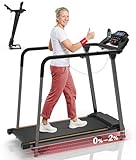 Redliro Treadmill for Seniors with Long Handrails Redliro | 14.8" x 39.3" | 5 mph | 300 lbs | View on Amazon | |
 UREVO SpaceWalk 5L Auto-Incline Walking Pad UREVO | 15.8" x 39.4" | 4 mph | 320 lbs | View on Amazon | |
 WalkingPad MX8 Vertical-Fold Treadmill WalkingPad | 15" x 39.4" | 5 mph | 330 lbs | View on Amazon | |
 GoPlus 2-in-1 Folding Treadmill GoPlus | 16" x 40" | 7.5 mph | 265 lbs | View on Amazon | |
 UREVO SpaceWalk 3S Auto-Incline Walking Pad UREVO | 15" x 40.1" | 4 mph | 265 lbs | View on Amazon | |
 UREVO Strol 2E 2-in-1 Folding Treadmill UREVO | 15" x 40.2" | 6.2 mph | 265 lbs | View on Amazon | |
 Redliro Slow-Start Treadmill for Seniors (0.3 mph) Redliro | 15" x 41" | 5.5 mph | 300 lbs | View on Amazon | |
 UREVO CyberPad Auto-Incline Walking Pad UREVO | 16.5" x 42" | 4 mph | 242 lbs | View on Amazon | |
 DeerRun 4-in-1 Walking Pad DeerRun | 16.53" x 44.09" | 7.5 mph | 300 lbs | View on Amazon | |
 KingSmith WalkingPad P1 KingSmith | 15.75" x 47" | 3.7 mph | 220 lbs | View on Amazon | |
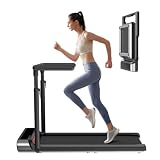 WalkingPad R3 Hybrid+ 2-in-1 Treadmill WalkingPad | 17" x 47" | 7.5 mph | 265 lbs | View on Amazon | |
 WalkingPad R2 Walk & Run 2-in-1 Folding Treadmill WalkingPad | 17" x 47" | 7.5 mph | 240 lbs | View on Amazon | |
 WALKINGPAD Z1 WalkingPad | 17.3" x 47.2" | 3.7 mph | 242 lbs | View on Amazon | |
 WALKINGPAD C2 Folding Walking Pad WalkingPad | 15.75" x 47.2" | 3.73 mph | 220 lbs | View on Amazon | |
 WalkingPad X21 Double-Fold Treadmill WalkingPad | 18.1" x 47.6" | 7.5 mph | 220 lbs | View on Amazon | |
 WalkingPad Z1R Foldable Walking Pad with Handlebar WalkingPad | 15.7" x 47.6" | 5 mph | 242 lbs | View on Amazon | |
 WalkingPad Z3 Just Walk Foldable Walking Pad WalkingPad | 15.7" x 47.6" | 4 mph | 242 lbs | View on Amazon | |
 LifeSpan TX6-GlowUp Under Desk Treadmill LifeSpan | 20" x 48" | 6 mph | 400 lbs | View on Amazon | |
 WalkingPad MX10 Vertical-Fold Treadmill WalkingPad | 16.1" x 48" | 6.5 mph | 265 lbs | View on Amazon |