Best Walking Pads for Home Office & Standing Desks in 2026
Compare the best walking pads for under a desk: noise ratings, belt sizes, and desk height fit for home office and remote work setups. See our top picks.
| Product | Best For | Price | Action |
|---|---|---|---|
 | Budget-conscious tall users | View on Amazon |
Product prices and availability are accurate as of the date/time indicated and are subject to change. Any price displayed on this site at the time of purchase will govern the sale of the product. As an Amazon Associate, we earn from qualifying purchases.
The shift to remote work has been permanent for millions of people, and with it came a problem: sitting for 8 to 10 hours a day within 15 feet of your own kitchen. A walking pad under your standing desk solves this in the most practical way possible. You walk at a slow, comfortable pace while you answer emails, join meetings, and work through your task list. No dedicated workout time required.
But not every walking pad works well in a home office. You need one quiet enough for calls, slim enough to fit under a desk, and reliable enough to run for hours at a stretch. Here are the models that actually deliver for desk workers in 2026.
What Is the Best Walking Pad for a Standing Desk?
The best walking pad for a standing desk is one under 5 inches tall, rated under 50 dB, and sized to your desk's maximum height. The KingSmith A1 Pro (about 40 dB, 47.2-inch belt) suits desks reaching 48 inches or higher, while the Citysports Under-Desk (about 45 dB, 40-inch belt) fits smaller footprints and desks starting around 44 inches.
If you are still assembling the rest of your setup, our WFH desk setup guide walks through desk height, ergonomics, and a 4-week ramp-up plan step by step.
What Is the Best Walking Pad for Under a Desk?
The best walking pad for under a desk is the Citysports Under-Desk Treadmill. Its slim, low-profile deck slides fully into the legroom under a standard desk without needing extra height clearance, it runs at approximately 45 dB so it will not carry into a video call, and its compact 15.75-by-40-inch belt keeps the whole footprint small enough for tight home offices. It is the most space-efficient of the walking pads for under desk use, though taller users may prefer the longer belts on the KingSmith P1 or A1 Pro covered below. For more compact options ranked by belt size and noise, see our compact under-desk treadmill guide.
Top 5 Walking Pads for Under Your Desk
These are the best walking pads for under desk use in this guide, ranked by the three things that decide whether an under the desk walking pad actually works for daily use: noise, belt length, and price.
- Citysports Under-Desk Treadmill — the smallest footprint and lowest price of the group; a 40-inch belt and approximately 45 dB motor let it disappear under a standard desk.
- KingSmith A1 Pro — the quietest and longest belt in the lineup, at approximately 40 dB and 47.2 inches, built for people who take back-to-back video calls.
- KingSmith P1 — the middle ground, with a 47-inch belt and smoother low-speed motor control that suits taller walkers.
- Best under $300 — for more budget picks below the Citysports price point, see our full walking pads under $300 ranking.
- Best for shared walls — for a dB-by-dB comparison built for apartments and thin-walled offices, see our quietest walking pads guide.
Are Walking Pads Any Good for Daily Work?
Yes. Walking pads are good for daily work when they clear three practical thresholds: quiet enough to disappear on a call, slow enough not to interrupt typing, and consistent enough to run for hours without breaking your focus. The payoff is real — converting even half of an 8-hour desk day to a 2 mph walk burns roughly 600 to 800 extra calories, the same range you would get from a dedicated 4-hour walking session, without taking a single minute out of your workday.
Three numbers determine whether a given pad clears those thresholds. On noise, anything under 50 dB sits below the pickup range of a standard laptop or headset microphone — the Citysports Under-Desk tests at approximately 45 dB and the KingSmith A1 Pro at approximately 40 dB, so calls go unaffected. On speed, realistic desk-walking paces run 1.5 to 2.5 mph, noticeably slower than a fitness walk, which is what keeps your hands steady enough for typing and mouse work. And on durability, a motor built for hours of continuous low-speed use, not short interval bursts, is what actually lets an under the desk walking pad survive a five-day work week instead of a weekend of good intentions.
What Makes a Good Home Office Walking Pad?
A walking pad built for office use needs to hit four criteria that gym-focused treadmills often ignore.
Low noise output. If your colleagues can hear your treadmill during a Zoom call, it is too loud. Anything under 50 dB disappears beneath normal speaking volume and will not get picked up by a decent microphone.
Low profile height. The walking pad sits on the floor and you stand on top of it, so its height adds directly to your required desk height. Models under 5 inches tall work with most standing desks. Anything over 6 inches starts creating ergonomic problems.
Comfortable at slow speeds. You are not training for a race. You need smooth, consistent belt motion at 1.5 to 2.5 mph. Some walking pads have jerky speed transitions or belts that stutter at low speeds. The models below all perform well in the slow-walk range.
Durable enough for daily use. A home office walking pad might run 3 to 5 hours per day, 5 days per week. That is serious mileage. Motor quality and belt durability matter more here than for occasional workout use.
Which Walking Pads Work Best for Home Office Use?
The Citysports Under-Desk Treadmill is the top pick for home office users on a budget. At approximately 45 dB it stays quiet enough for any video call, and the compact 40-by-15.75-inch belt fits easily under a standard standing desk. The 0.59HP motor is specifically tuned for ultra-quiet operation at walking speeds, and the 3.8 mph top speed is more than enough for desk walking where you will rarely exceed 2.5 mph. It is the most affordable way to start walking while you work, and if price is your main constraint, our walking pads under $300 roundup covers more options at this price point.
The KingSmith P1 steps up the belt size significantly at 15.75 by 47 inches, making it the better choice for taller home office workers or anyone who wants more stride room — see our belt size guide for fit recommendations by height. The 1HP motor provides smooth, consistent walking up to 3.7 mph, and KingSmith's reputation for refined motor control means the belt movement is exceptionally smooth at slow speeds. It costs more but delivers a noticeably more comfortable walking surface for all-day use.
For users who want the quietest possible operation and the largest belt, the KingSmith A1 Pro runs at approximately 40 dB with a 16.5-by-47.2-inch belt. It is the premium choice for serious home office walkers who want the absolute best experience.
| Walking Pad | Belt Size ↑ | Max Speed ↕ | Weight Limit ↕ | Price | Action |
|---|---|---|---|---|---|
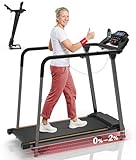 Redliro Treadmill for Seniors with Long Handrails Redliro | 14.8" x 39.3" | 5 mph | 300 lbs | View on Amazon | |
 UREVO SpaceWalk 5L Auto-Incline Walking Pad UREVO | 15.8" x 39.4" | 4 mph | 320 lbs | View on Amazon | |
 WalkingPad MX8 Vertical-Fold Treadmill WalkingPad | 15" x 39.4" | 5 mph | 330 lbs | View on Amazon | |
 GoPlus 2-in-1 Folding Treadmill GoPlus | 16" x 40" | 7.5 mph | 265 lbs | View on Amazon | |
 UREVO SpaceWalk 3S Auto-Incline Walking Pad UREVO | 15" x 40.1" | 4 mph | 265 lbs | View on Amazon | |
 UREVO Strol 2E 2-in-1 Folding Treadmill UREVO | 15" x 40.2" | 6.2 mph | 265 lbs | View on Amazon | |
 Redliro Slow-Start Treadmill for Seniors (0.3 mph) Redliro | 15" x 41" | 5.5 mph | 300 lbs | View on Amazon | |
 UREVO CyberPad Auto-Incline Walking Pad UREVO | 16.5" x 42" | 4 mph | 242 lbs | View on Amazon | |
 DeerRun 4-in-1 Walking Pad DeerRun | 16.53" x 44.09" | 7.5 mph | 300 lbs | View on Amazon | |
KingSmith WalkingPad P1 KingSmith | 15.75" x 47" | 3.7 mph | 220 lbs | View on Amazon | |
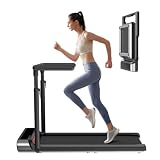 WalkingPad R3 Hybrid+ 2-in-1 Treadmill WalkingPad | 17" x 47" | 7.5 mph | 265 lbs | View on Amazon | |
 WalkingPad R2 Walk & Run 2-in-1 Folding Treadmill WalkingPad | 17" x 47" | 7.5 mph | 240 lbs | View on Amazon | |
 WALKINGPAD Z1 WalkingPad | 17.3" x 47.2" | 3.7 mph | 242 lbs | View on Amazon | |
 WALKINGPAD C2 Folding Walking Pad WalkingPad | 15.75" x 47.2" | 3.73 mph | 220 lbs | View on Amazon | |
 WalkingPad X21 Double-Fold Treadmill WalkingPad | 18.1" x 47.6" | 7.5 mph | 220 lbs | View on Amazon | |
 WalkingPad Z1R Foldable Walking Pad with Handlebar WalkingPad | 15.7" x 47.6" | 5 mph | 242 lbs | View on Amazon | |
 WalkingPad Z3 Just Walk Foldable Walking Pad WalkingPad | 15.7" x 47.6" | 4 mph | 242 lbs | View on Amazon | |
 LifeSpan TX6-GlowUp Under Desk Treadmill LifeSpan | 20" x 48" | 6 mph | 400 lbs | View on Amazon | |
 WalkingPad MX10 Vertical-Fold Treadmill WalkingPad | 16.1" x 48" | 6.5 mph | 265 lbs | View on Amazon |
How Do You Set Up a Walking Pad With a Standing Desk?
Getting the ergonomics right prevents the neck pain, wrist strain, and back discomfort that come from a poorly configured walking desk setup.
Desk height is the most critical measurement. Stand on your walking pad in the shoes or socks you plan to walk in. Bend your elbows to 90 degrees with your forearms parallel to the floor. The desk surface should sit right at your fingertip level. Most people need their desk between 44 and 50 inches high depending on their height and the thickness of the walking pad.
Monitor position follows the same rules as any ergonomic setup. The top of your screen should sit at or slightly below eye level. When you are standing on a walking pad, you are 4 to 6 inches taller than usual, so your monitor needs to come up accordingly. A monitor arm with full height adjustment is the simplest solution. A laptop stand works for laptop-only setups.
Keyboard and mouse placement matters more than people expect. Your wrists should remain neutral, not angled up or down. A keyboard tray that mounts under the desk surface and adjusts independently of the desk height gives you the most flexibility. If your desk does not support a tray, make sure the desk height itself lets you type with flat wrists.
Cable management becomes a safety issue with a walking pad. A loose power cable or headphone wire near your feet is a trip hazard on a moving belt. Route all cables along the back edge of your desk and use clips or cable channels to keep everything off the floor around your walking area.
Will a Walking Pad Affect Your Productivity?
This is the question every remote worker asks before buying. The honest answer: it depends on what you are doing.
For email, Slack messages, reading documents, and attending meetings where you are mostly listening, walking at 1.5 to 2.0 mph has zero negative impact on productivity. Many users report feeling more alert and focused during these tasks.
For writing, data entry, and moderate-complexity work, most people prefer slowing to about 1.5 mph or taking short walking breaks between focused sessions. The cognitive load of walking is genuinely minimal at low speeds, but everyone has a personal threshold.
For precision work like detailed spreadsheets, graphic design, or complex coding, consider pausing the walking pad. These tasks demand fine motor control and deep focus that a moving surface can subtly disrupt. The beauty of a walking pad is that you can stop it instantly, stand still for your focus block, then start walking again for your next batch of lighter tasks.
How Do You Handle Video Calls While Walking?
The practical answer comes down to two things: noise and camera stability.
For noise, a walking pad under 50 dB combined with a headset microphone eliminates the problem entirely. The Citysports Under-Desk at approximately 45 dB and the KingSmith A1 Pro at approximately 40 dB both tested below the pickup threshold of popular headsets from Jabra, Logitech, and Apple AirPods. If you use a built-in laptop microphone, noise may be faintly audible to others, so a headset is recommended. For a deeper dive into dB ratings across more models, see our quietest walking pads guide.
For camera stability, walking at slow speeds produces minimal upper body movement. Most people look essentially still on camera at 1.5 to 2.0 mph. If you walk faster or have a bouncier gait, consider positioning your webcam at a slight distance so the motion is less noticeable, or simply slow down during calls.
A simple approach that works well: walk during meetings where your camera is off, and stand still or sit during meetings where you are presenting or have your camera on. This lets you accumulate 2 to 3 hours of walking during a typical meeting-heavy workday without anyone noticing.
The home office walking pad is not a fitness gadget. It is an office tool that happens to burn 600 to 800 calories during your workday while keeping you alert and focused. Choose a quiet model, set up your desk correctly, and it becomes the most productive piece of equipment in your home office. For a more structured approach, try the Japanese walking method during breaks — a 30-minute interval routine that boosts cardiovascular fitness beyond what steady desk walking provides.